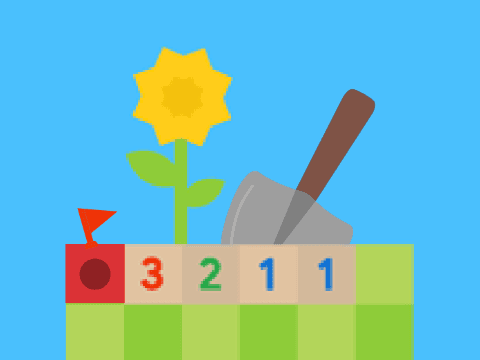
Google Games Minesweeper
Google Games Minesweeper
More games to play
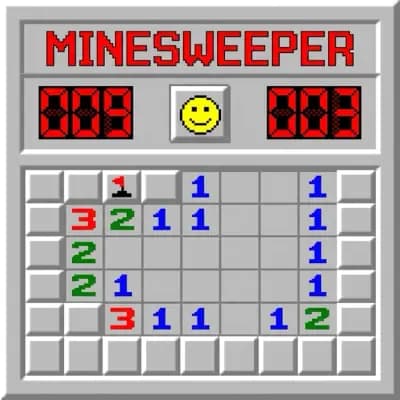
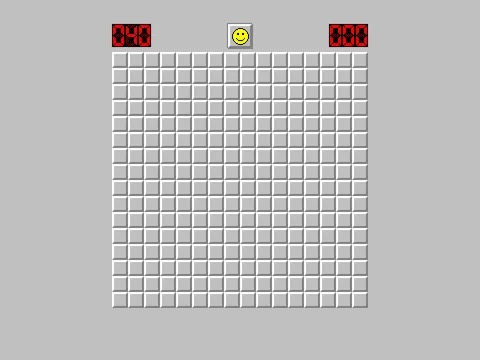
Google Games Minesweeper
Google Games Minesweeper is a Google-themed Minesweeper remake presented through a Scratch embed. It aims to recreate the colorful Google board style while keeping the core puzzle loop recognizable: reveal tiles, read the numbers, flag the mines, and clear the board as quickly and cleanly as you can. For players who like the Google aesthetic but want a version they can launch directly inside a browser page, this is a practical option.
This page is useful because the version is not just a visual copy. Reference material for the Scratch project describes differences in controls, board handling, and timing that matter if you are trying to understand how this build actually plays. That gives this page room to work as both a play page and a guide for the specific remake rather than a generic Google Minesweeper description.
What Is Google Games Minesweeper?
This is a Scratch-built interpretation of Google Minesweeper with Google-style tiles, mine counters, timers, and difficulty handling. The page describing the project highlights Easy, Medium, and Hard board setups, along with cloud-based best times for some modes when the player is signed in. That gives the game a slightly more competitive feel than a simple single-board clone.
Because it runs in Scratch, the version also has a clear browser-first workflow. You click the green flag or Go button, start the run, and use the board controls directly from the player. That immediacy makes it approachable for casual players while still leaving room for faster clears and repeat attempts.
How To Play Google Games Minesweeper
The goal remains classic: reveal every safe tile and avoid the mines. Each number shows how many mines touch that square, so you use nearby clues to infer where danger must be. In this specific build, the reveal action is described as shoveling a tile, which matches the Google-flavored presentation but does not change the basic logic underneath. Number reading, pattern recognition, and careful mine marking still decide whether the run succeeds.
Once the basics are clear, the pace of the game becomes more about efficiency. The timer matters, the board is meant to be reset quickly, and the controls are tuned for short browser sessions. That means the game rewards both accurate logic and smooth execution, especially when you already know standard minesweeper patterns.
What Makes This Version Different
Reference material for this version points to several standout traits. One is a no-guess algorithm, which is meant to reduce classic 50/50 dead ends and keep the board more deterministic. Another is the way board sizes and mine counts differ across web and mobile layouts. The page also mentions combined click support for faster chording and distinct audio cues on number reveals.
Those details make Google Games Minesweeper feel more engineered around smooth runs than a barebones clone. If you are specifically looking for the Google-style experience, those touches matter because they shape how quickly the board flows and how often a run feels fair enough to keep chasing better times.
Leaderboards, Resets, And Faster Runs
This Scratch remake appears to treat best times as an important part of the experience, especially on supported Easy and Hard modes. Guide notes mention cloud-synced records and historical resets used to keep times fair after bugs or suspicious records. That makes the page more than just a casual puzzle board: it also has a small competitive layer for players who enjoy repeating the same style of run and improving their timer.
Quick restarts are part of that rhythm. If a run opens badly or loses momentum, the stop-and-restart flow makes it easy to begin again without much delay. For timer-focused versions of Minesweeper, that convenience matters because shorter reset loops usually lead to more practice and better clears.
Why Players Like The Google Style
Part of the appeal here is visual familiarity. The Google-style board uses bright colors and a very recognizable layout, which can make the page feel more approachable even to players who do not normally seek out classic puzzle interfaces. It looks playful, but the puzzle underneath still rewards careful, exact deduction.
That balance is why this version can be attractive to both curious newcomers and experienced minesweeper players. New players get a cleaner, friendlier presentation, while returning players still have enough control depth, speed play, and board logic to keep things interesting.
Which Difficulty Should You Start With?
If you are trying this remake for the first time, the safest move is to begin on the easier board so you can get used to the Scratch-based control flow before chasing better times. That gives you room to understand how this version handles reveals, flags, and resets without the pressure of the densest layouts immediately. Once the controls feel natural, moving up to the harder boards makes more sense because you can focus on puzzle quality instead of interface adjustment.
For experienced minesweeper players, the higher difficulties are where the Google-style version starts to feel more meaningful. The stronger board density, faster restart rhythm, and timer focus all work better when you already understand classic deduction patterns. That is why this page is useful as both an introduction to the remake and a practical guide for players who want to know whether this version is worth repeating for cleaner, faster runs.
Google Games Minesweeper Controls
| Control | Action |
|---|---|
| Reveal (shovel) a tile | Left-click any covered square to open it. |
| Flag or unflag a tile | Hover the square and press Space to place or remove a flag. |
| Restart the board | Click Stop, then use the green flag or Go button to begin a fresh run. |
| Full screen | Use the Scratch full-screen toggle for a larger board view. |
| Record best times | Sign in where supported so cloud data can save eligible timer records. |